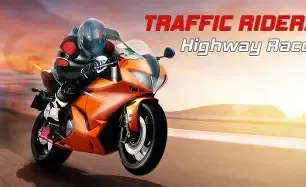
Traffic Rider is a first-person motorcycle racing game where you weave through dense highway traffic at up to 150 km/h. Riding on two wheels in first-person view changes everything: you lean into lanes, thread the gap between a truck and a sedan, and every near miss feels real. It is one of the most visceral browser racing games you can play without downloading anything.
This guide covers the controls, how scoring actually works (it is not just distance), and the strategies that turn short runs into multi-kilometer highways. Play Traffic Rider now →
Traffic Rider Controls
- Left / Right arrows: steer and change lanes.
- Up / W: accelerate.
- Down / S: brake.
Traffic Rider is built for keyboard play on desktop and laptop. The controls are simple — the game is about reading traffic, not memorizing inputs. On mobile browsers the game loads, but steering precision suffers without a keyboard, so treat mobile as a fallback rather than the main way to play.
How Scoring Works — The Overtaking Bonus
Most new players assume the score is distance times speed. It is not. The real score driver is the overtaking bonus: passing cars at close range awards significantly more points than distance alone. Two riders can cover the same kilometer, but the one threading through gaps inches from bumpers will outscore the other several times over.
This changes how you should think about every run. Safe, wide-berth riding keeps you alive but scores poorly. The game rewards controlled risk — passing close is not a style choice, it is the scoring system.
Beginner Tips — Surviving the First 90 Seconds
- Expect the hardest traffic at the start. In endless mode, traffic density stabilizes after about 2 minutes — if you can survive the first 90 seconds, your odds of a long run increase dramatically. Do not get discouraged by early pile-ups; they are the statistical worst phase of every run.
- Stay near the edges, not the center. Do not hug the center line — the road edges give you more room to dodge. The center is where clusters form and where you get boxed in.
- Brake early, not hard. When you see a cluster of cars ahead, slow down before you reach it rather than braking at the last second. Late braking in Traffic Rider rarely saves you — it just removes your steering options.
- Look two cars ahead. Like all traffic-weaving games, the car in front of you matters less than the pattern of the three cars in front of it. React to gaps, not to vehicles.
Advanced Strategy — Long Runs and Big Scores
- Use the left-lane dodge rule. Most AI traffic drifts slightly right over time, so the left side of the road opens up more often for emergency escapes. When in doubt, dodge left.
- Chain close passes around the edge of clusters. When a group of cars spreads out, ride the edge of the group and take two or three close passes in one motion. This is where the overtaking bonus compounds.
- Match speed before you thread. The gap between two cars moving at similar speeds is wider than it looks; the gap between two cars at very different speeds closes fast. Adjust your speed to the gap before entering it.
- Save braking for straights. Bleeding speed mid-weave makes you re-learn the traffic rhythm every time. Slow down where the road is simple, spend that speed in traffic.
Which Bike Should You Upgrade?
Upgrade top speed before handling. The extra km/h gives you more time to react — effectively granting you extra thinking time in the same reaction window. Handling upgrades feel good but mask the real skill: reading traffic early. The stock bike tops out at lower scores, so do not ride it longer than you have to.
For endurance runs, prioritize strong acceleration second — recovering speed quickly after a dodge matters more than a few extra km/h of top end once you are past the mid-tier bikes.
Common Mistakes to Avoid
- Staying in one lane too long. Traffic clusters form around stationary riders — keep lateral movement in your rhythm.
- Not upgrading the bike. The stock bike caps your score ceiling; upgrades are cheap and immediate.
- Chasing every bonus. A close pass that risks a crash is worth zero. The bonus system pays over a whole run, not a single overtake.
- Playing on a laptop trackpad. Arrow keys or WASD only — trackpad steering is the fastest way to lose a 5-minute run.
Traffic Rider vs Moto X3M — Which Should You Play?
Traffic Rider is pure open-road adrenaline: no levels, no finish line, just you and the traffic. Moto X3M is the opposite — hand-built obstacle courses where you chase stars and completion. Both are motorcycle games, but they scratch different itches: Traffic Rider for endless flow and score chasing, Moto X3M for puzzle-like levels and stunts.
Stuck between the two? Try both — they are free and instant. Our Moto X3M level guide covers 3-star strategies if you go that route.
FAQ
Is Traffic Rider free?
Yes, Traffic Rider is completely free to play in your browser. No download, no account, no payment required.
Can I play Traffic Rider on mobile?
Some mobile browsers load it, but the controls are designed for a keyboard. For the real experience, play on desktop or laptop.
What is the best bike in Traffic Rider?
For endurance runs pick strong acceleration — it lets you recover speed after dodging. For score chasing, pick the highest top speed you have unlocked: more speed means more reaction time and more overtaking bonuses per kilometer.
How do I score more points in Traffic Rider?
Ride close. The overtaking bonus for near misses is worth far more than distance. Combine close passes with a fully upgraded top-speed bike and runs past the 2-minute mark, where traffic settles into a stable pattern.
Does Traffic Rider have an ending?
No — endless mode continues as long as you survive. Career-style progression comes from earning points to unlock faster bikes between runs.
Play Traffic Rider now · Drift Frenzy vs Traffic Rider · Moto X3M guide · Best racing games 2026