Escape Road is the police-chase lane-dodging series where you weave through traffic on a three-lane road while police cruisers stay glued to your bumper. This guide answers the questions players actually search for: how to go fullscreen, what the controls are, whether your progress saves, and which entry in the series (Escape Road 1, 2, or 3) you should play.
Escape Road Controls
The series keeps inputs minimal across all three games:
- Up / Down arrows (or swipe on mobile): switch lanes. That is the entire control scheme in Escape Road 1 and 2.
- Escape Road 3 extras: Space or click activates collected items like nitro on some versions.
There is no accelerate and no brake — the car moves forward on its own, and every decision is about which lane you occupy. The simplicity is why the series works: anyone can start in seconds, but surviving past the two-minute mark requires real anticipation.
How to Play Escape Road in Fullscreen (Press F)
The most common search around this game is the "F for fullscreen" shortcut — and yes, it works here. On Drift Frenzy, every game page — including all three Escape Road games — supports fullscreen in two ways:
- Press F on your keyboard at any point while playing to toggle fullscreen on or off.
- Or click the ⛶ Fullscreen button in the player toolbar.
Press Esc to exit fullscreen. If your browser blocks native fullscreen (some school or managed Chromebooks do this), the player automatically falls back to an expanded pseudo-fullscreen mode that stretches the game over the page — so F works either way.
Fullscreen is genuinely worth using in Escape Road: the road gets faster and obstacles cluster up as your distance grows, and the wider view gives you more time to react to what is coming.
Does Escape Road Save Your Progress?
Yes — with one caveat. Your best distance is kept in your browser between sessions, so when you come back tomorrow your personal best is still on the counter. In Escape Road 2 and 3, the vehicles you unlock also persist in the same browser, which is what makes unlocking the bigger cars satisfying.
The caveat: saves live in browser storage, not in an account. Clearing your browser data, using incognito mode, or switching to a different browser or device starts you fresh. There is no login or cloud save — the game is intentionally instant-play with zero sign-up.
Playing Free: Downloads, Ads, and Sign-Ups
Escape Road (all three entries) on this site is completely free, with no download and no account — the game loads directly in your browser tab. The page does show some advertising, which is what keeps the games free to play. Two practical notes:
- No download needed — if a site asks you to install something to "unlock" Escape Road, that is not the official browser game.
- Fullscreen reduces clutter — pressing F expands the game over the page chrome, which also means fewer on-page distractions during a run.
Escape Road 1 vs 2 vs 3 — Which Should You Play?
- Escape Road (original): The purest version. Lane-switching, traffic, police, no extras. The best starting point and the fastest to learn.
- Escape Road 2: Adds oncoming-traffic lane switching for double points, plus vehicle unlocks from sedans to SUVs. The sweet spot for most players.
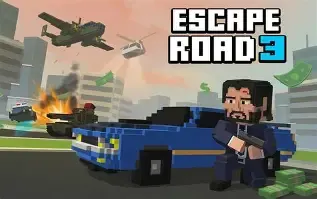
- Escape Road 3: The tightest and most challenging entry — more vehicle types, faster pursuits, and refined collision physics.
They are all free, so the honest answer is to start with the original for two minutes and then jump straight to 3 if you want the full experience. 2 is the middle ground with the most forgiving risk-reward loop.
Survival Tips That Work in Every Escape Road Game
- Treat the center lane as home base. It gives you two escape options on every threat. Only sit on an edge lane when a specific obstacle forces you there.
- Watch for telegraphed clusters. Obstacle patterns announce themselves briefly before they appear — pre-position one lane away instead of reacting late.
- Double-switch rather than drift across two lanes slowly. Two quick lane changes beat one long slide across traffic, and pursuing police AI struggles to predict consecutive moves.
- Distance beats coins. Never swerve into danger for a pickup — surviving one more second is always worth more than the bonus.
FAQ
How do you go fullscreen in Escape Road?
Press F while playing — or click the ⛶ Fullscreen button in the player toolbar. Press Esc to exit. On browsers that block native fullscreen, the game switches to an expanded pseudo-fullscreen mode instead.
What does the F key do in Escape Road?
F toggles fullscreen while the game is running on this site. The in-game controls stay the same — F is a page shortcut, not a game mechanic.
Does Escape Road save your progress?
Your best distance (and unlocked vehicles in Escape Road 2 and 3) is saved in your browser between sessions. There is no account system, so clearing browser data or switching devices resets progress.
Is Escape Road free with no download?
Yes. All three Escape Road games run directly in your browser here — free, no download, no sign-up. The page shows some ads to keep the games free.
What are the controls for Escape Road?
Up and Down arrows switch lanes on desktop; swiping switches lanes on mobile. Escape Road 3 also uses Space or click for item activation on some versions.
Which Escape Road game is the best?
Escape Road 3 has the most content and the toughest pursuit, Escape Road 2 has the best risk-reward balance with oncoming traffic, and the original is the cleanest way to learn the series.
Play Escape Road · Escape Road 2 · Escape Road 3 · More police chase games